
Work just a few minutes and relax for hours! Yes, you read that right. From today, you only need to work for a few minutes, and then all your tasks will be handled by automation. In the meantime, you can focus on essential activities such as client meetings or closing significant deals.
Want to know how? Let’s tell you! We’re talking about a tool that allows you to work for just a few minutes, after which it handles all your tasks. You can think of it as a “virtual manager.” Yes, this tool is called Zapier!
Zapier is an automation tool that simplifies and accurately handles various tasks for you. Once you create a Zap, you can sit back and relax as this tool saves you from the time-consuming process of manually using different applications. Let’s dive deep into this automation tool.
Table of Contents
ToggleWhat Is Zapier?
Zapier is an online automation tool that allows you to connect two or more applications to automate tasks.
Let’s try to understand a bit more about automation.
In your business, you likely use multiple applications or services such as Gmail and ConvertKit. Normally, you might perform tasks like sending emails or saving email attachments yourself. But now, with Zapier, you can automate all these tasks. This means you only need to create a Zap once, and after that, Zapier handles all the repetitive tasks for you, saving your valuable time and allowing you to focus more on your business strategies.
The best part is that you don’t need any coding skills to create an automated workflow. Now you understand why we call it a virtual manager.
Zapier Terminologies
Let’s take a look at some Zapier terminologies that will help you understand and use this tool effectively.
Zap:
- A workflow that runs in automated mode after connecting two or more applications.
- A Zap includes triggers and actions that command these applications. After creating a Zap, Zapier handles all the repetitive tasks you used to do manually.
Trigger:
- An event that starts the Zap or initiates the workflow.
- When you set up an automated workflow, you set a trigger that tells the Zap what actions to take in a particular situation. For example, you can create a Zap that only saves email attachments to Dropbox. This is possible when you set a trigger for emails with attachments.
Action:
- The events performed by the Zap to complete the workflow.
- When an email with attachments arrives, the Zap performs actions like saving the attachments to Dropbox. These events are called actions.
Task:
- Each action performed by a Zap to complete a workflow.
- The series of actions taken by the Zap to save attachments to Dropbox constitutes a task.
Workflow:
- Automated tasks created by connecting two or more applications using Zapier.
Zapier Features
Let’s discuss the features of Zapier and understand this tool better.
- Connect 3000+ Applications: Zapier allows you to connect two or more apps from a pool of over 3000 applications and automate various tasks.
- Automate Daily Routine Tasks: Zaps complete your daily routine tasks automatically, allowing you to focus on solving important problems.
- Premium Plan Benefits: With Zapier’s premium plan, you get access to premium apps like Facebook Lead Ads and PayPal, 1000 tasks in a 14-day free trial, and the ability to create unlimited Zaps.
- Multi-Step Zaps: This feature lets you create multi-step Zaps with multiple triggers and actions in a single Zap.
- Search Action Feature: This helps users search specific data within Zapier’s integrated system.
- Filter Feature: This decides when your Zap will run and when it won’t.
Benefits of Using Zapier
If you’ve read this far, you’re likely serious about your business and want to learn more about the benefits of Zapier.
- Help Save Time: Time is money, and as an entrepreneur or businessman, utilizing your time efficiently is crucial. With Zapier, you can automate various tasks, reducing your involvement and saving precious time.
- Help Scale Business: Zapier helps streamline and automate tasks, allowing you to focus on other important business aspects and employee performance, essential for business growth.
- Automate Unpreferred Tasks: There are often small but time-consuming tasks in business that no one likes to do. With Zapier, you can automate such tasks and focus on more significant tasks.
- Improve Testimonials: Satisfied customers provide positive comments and reviews, which can attract more visitors and convert them into customers, ultimately helping your business grow.
- Close to Zero Human Intervention: After the initial setup phase, where you create Zaps, there’s almost no need for your involvement. Once a trigger event occurs, the Zap runs automatically and performs the necessary actions.
- Utilize Your Potential to Maximum Level: Zapier allows you to use your potential to its maximum level by automating regular tasks, enabling you to focus on more significant business opportunities.
- Help Retain Customers Easily: By continuously adding value to your customers’ lives, you can retain them for life. A brand that wins customer trust and consistently provides value helps the business grow continually.
How to Create Your First Zap in 6 Steps?
After learning so much about Zapier, let’s create a Zap together.
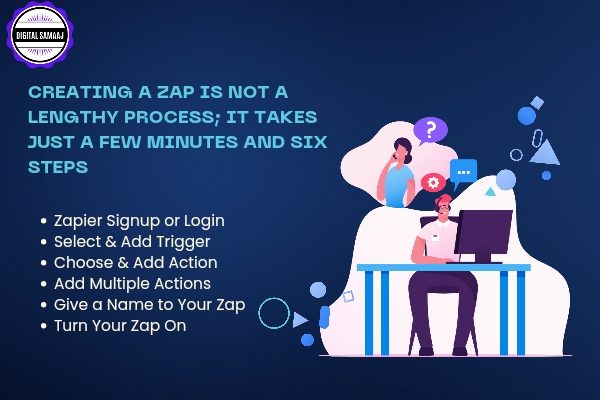
Creating a Zap is not a lengthy process; it takes just a few minutes and six steps.
- Zapier Signup or Login: Sign up and create a Zapier account if you are a new user. If you already have an account, just log in.
- Select & Add Trigger: Select a trigger app where all your Zap events will run. Then, choose the trigger events, select the account to connect with the Zap trigger, set the trigger options, and test your first Zap trigger.
- Choose & Add Action: Select an action app responsible for actions when the Zap runs. Choose the action events, select the action account, and test your actions.
- Add Multiple Actions: (Optional) If you’re using Zapier premium plans, you can add multiple actions and automate more tasks. You can also customize your Zap.
- Give a Name to Your Zap: Name your Zap so you can easily identify and use it.
- Turn Your Zap On: Congratulations! Your Zap is ready. Turn it on and benefit from Zapier’s automation features. You can also check all your Zap activity in Zap history.
How Does a Zap Work?
Zapier links web-based applications and automates tasks based on user-defined triggers and actions. When you create a Zap, it includes a trigger and several actions. Once the Zap is activated and a trigger event occurs, Zapier automatically performs the actions set for that triggered event, saving your time and allowing you to focus on your business.
Zapier Integration
Zapier integrates over 3000 applications that can be connected anytime to create Zaps. With over 1500 integrated apps, you can create multi-step Zaps, making it easy to automate small to large tasks without interruptions.

Zapier Pricing Plans
Zapier offers different pricing plans to suit various business needs. You can choose the plan that best fits your business requirements.
Conclusion
In this article, we explored how Zapier can be a game-changer for your business by saving time and automating tasks. In today’s fast-paced digital world, time is incredibly valuable, and tools like Zapier help you make the most of it. By automating tedious tasks, you can focus on growing your business and achieving success.
Ready to boost your productivity with Zapier? Visit Digital Samaaj and explore our digital marketing courses in Hindi. Learn how to generate multiple streams of income without high-risk investment and become a successful entrepreneur in the digital age.
Embrace the power of automation with Zapier and take your business to new heights!